Stage Multiple Events Before You Commit
Batch new sessions, resize old ones, and clear the clutter in a single swoop—no more back-and-forth dialogs.
By BreakToGoal Team2 min read
#calendar#productivity#batching
Rollout Notes
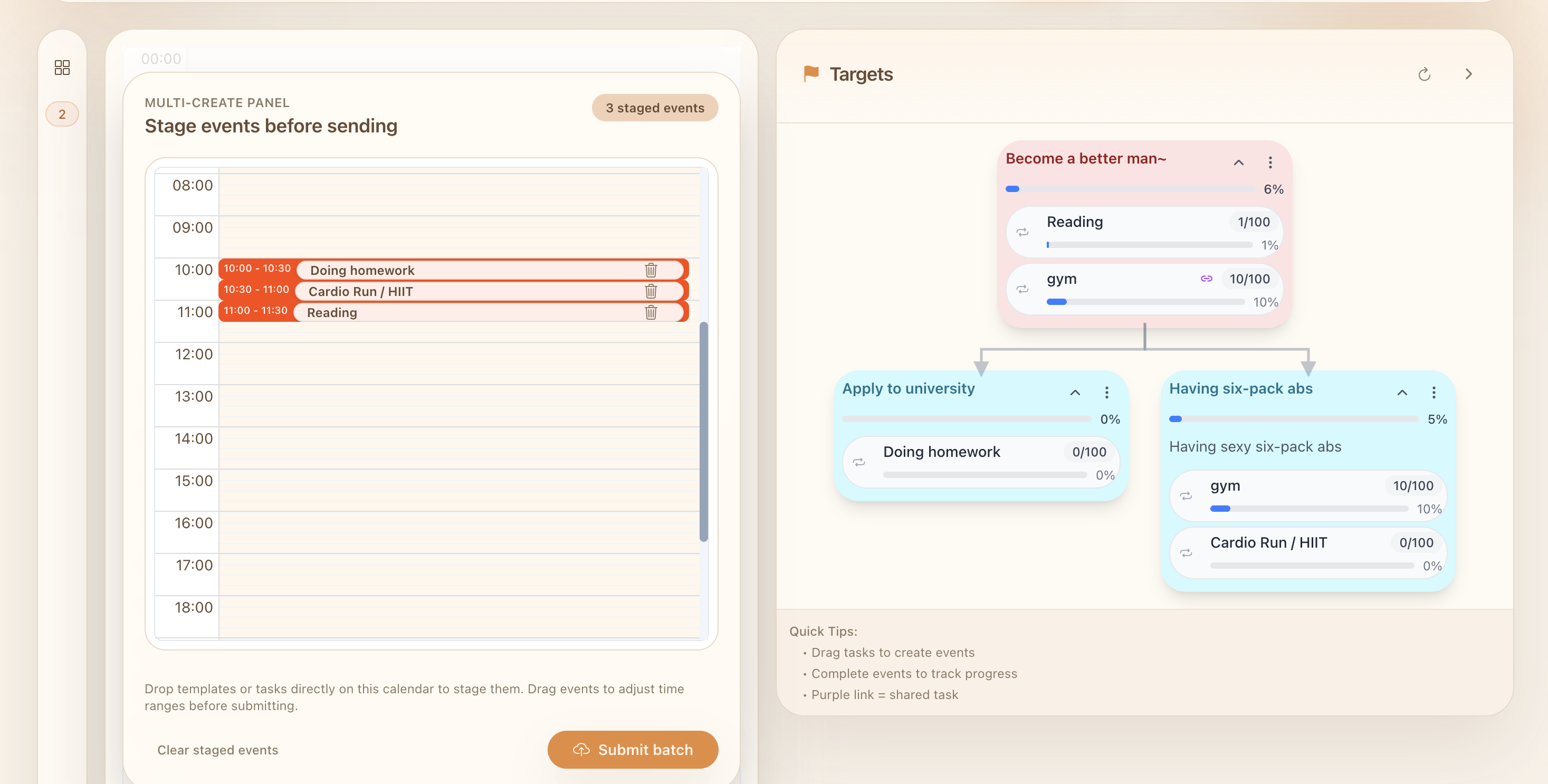
- Multi-create switch in the calendar toolbar – Flip on
Batch Mode(desktop Day view) to reveal the staging canvas that mirrors your main calendar. Drafts now persist via local storage, so you can drag in a few tasks, take a break, and return right where you left off. - Full-size staging calendar – The overlay reuses our primary calendar components, which means you can drag, resize, and drop templates or targets with the same shortcuts you already know. Existing events pulled into the panel stay editable, so last-minute tweaks don’t require modal pop-ups.
- Batch submit with smart deletes – When you hit
Submit batch(or⌘ + Enter), we send everything at once: new drafts, updated times, and any old events you removed from the staging list. The backend now supports create/update/delete in a single endpoint, keeping the main calendar in sync without manual cleanup. - Energy for deep work – By batching decisions into one focused pass, you avoid the constant “Should I adjust this now?” micro-dialogues that drain attention. Plan all your morning blocks at once, send them, and get back to the work that actually deserves context switching.
Everyday example
Say you’re planning a mentoring afternoon. Drag in three template tasks (prep, session, recap) and pull yesterday’s unfinished “UX review” event into the panel. Delete the review if it’s no longer needed, stretch the mentoring slot to 90 minutes, then submit the batch. One confirmation replaces five separate modals, saving you the mental tax of repeated decisions and letting you reclaim that planning energy for the actual session.