Resize Calendar Events on the Fly
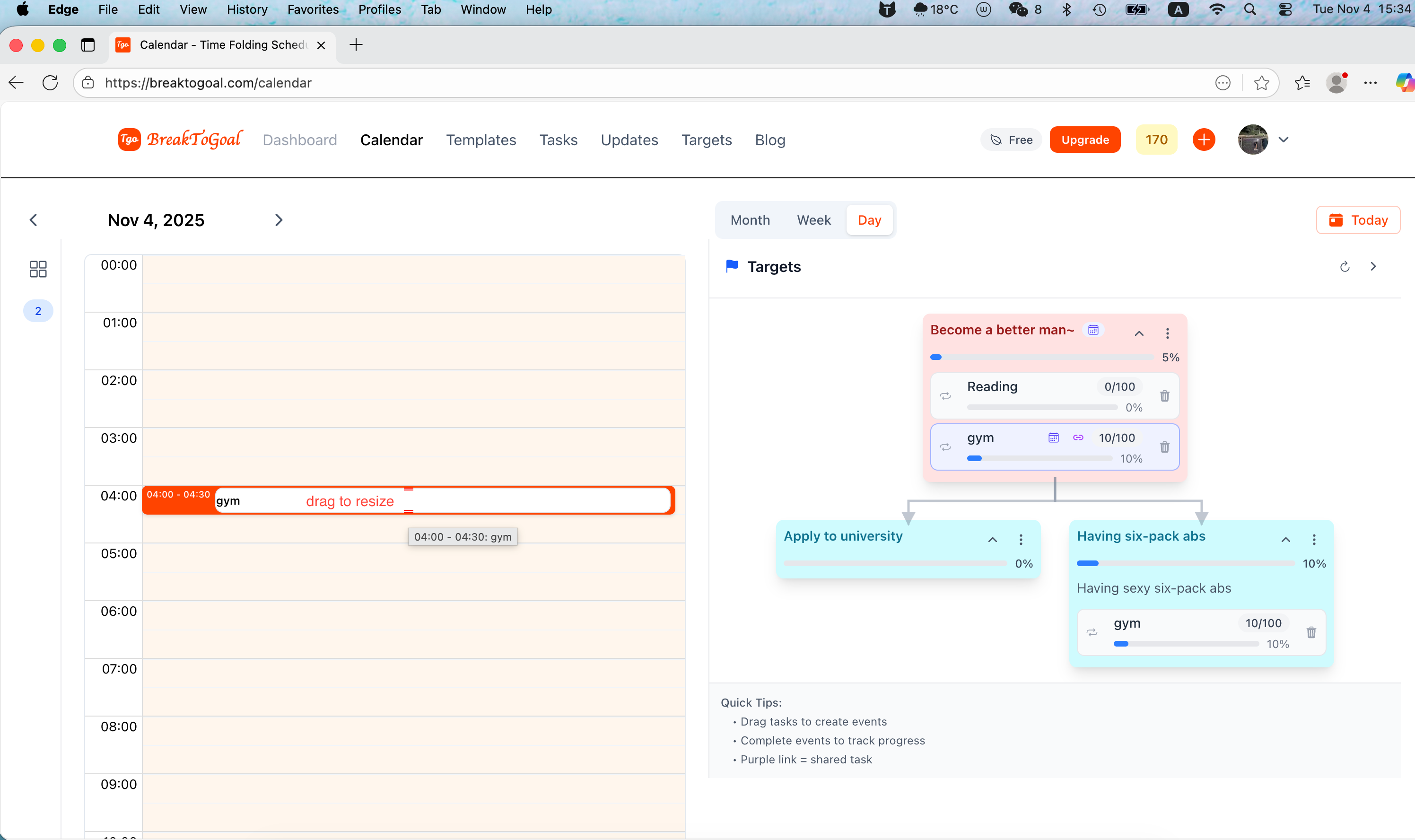
Stretch or shrink calendar blocks with the new drag handles—perfect for those sessions that run a little long.
By BreakToGoal Team2 min read
#calendar#events#productivity
Rollout Notes
- Drag handles on events – Hover any scheduled block in Day or Week view and grab the top or bottom handle to resize it. We snap to your calendar step setting, so extending a session is one smooth motion.
- Smarter duration updates – As you resize, we preserve the event’s context (target, template origin, color) while recalculating its end time, keeping notifications and follow-on tasks in sync.
- Visual feedback while dragging – A live shadow shows the new duration before you release, so there’s no guesswork when you’re nudging an event out or pulling it back.
Everyday example
Maybe you dragged in a “Reading sprint” from your study template at the standard 30-minute clip, but the book is getting good. Stretch the bottom handle to give yourself another 20 minutes without creating a second event. Hosting a team standup that wrapped early? Pull the top handle up to mark the retro as done and free up the rest of the hour. Little adjustments like these keep your timeline honest without any modal hopping.