November 2025: Header Progress Pulse
The header now shows a live completion pulse whenever you finish an event, making daily progress visible without opening extra panels.
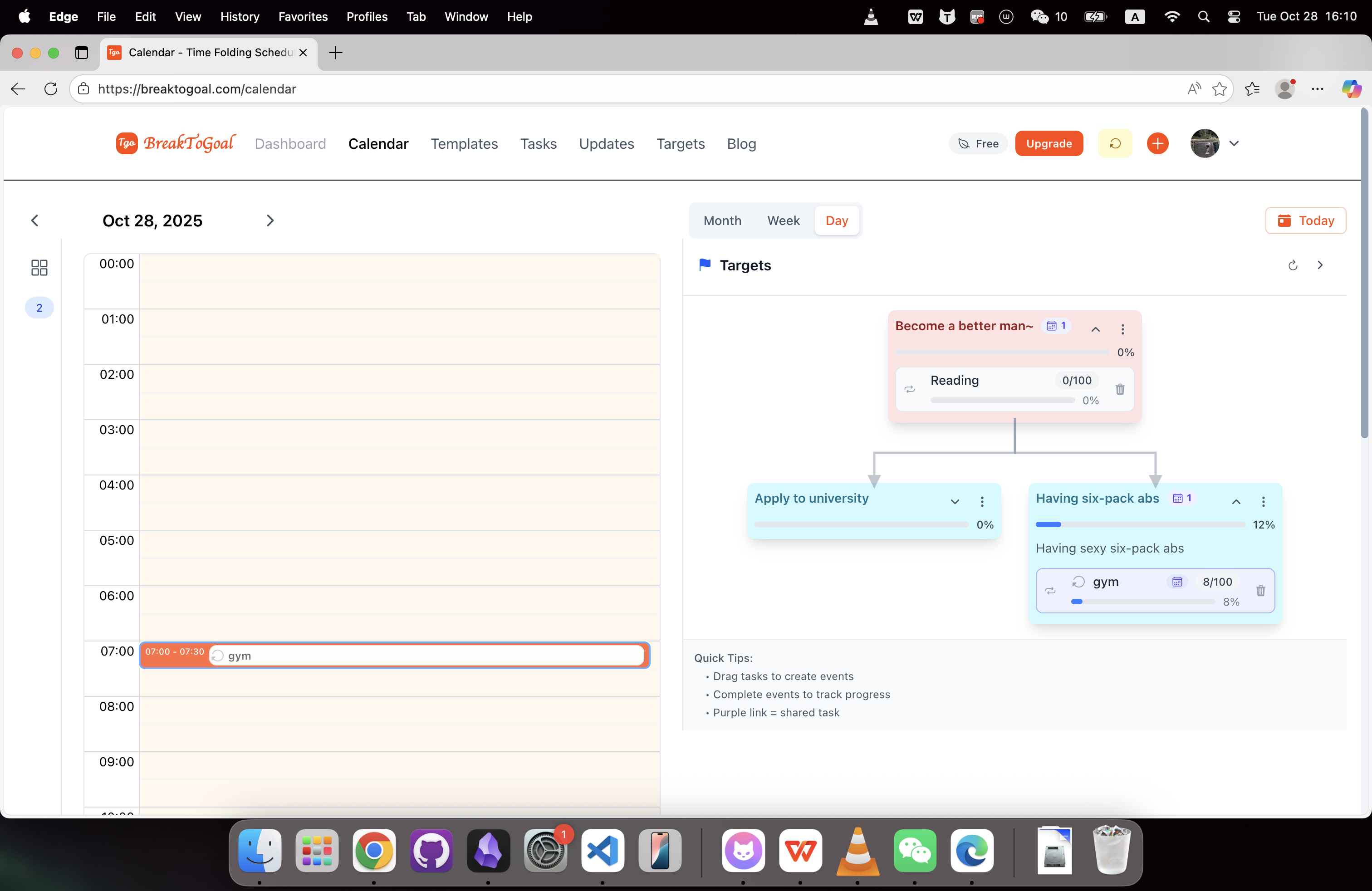
What Changed
Header Completion Pulse
The top bar now reacts instantly when you complete an event. As soon as you mark it done, the badge shows a brief progress shimmer while the completion update is saved, then settles into the latest daily state.
Daily Momentum Trail
The same badge now keeps a compact day timeline in view. Each completed event advances the trail, so by evening you can quickly scan how your day moved without leaving the current screen.
How to Use It
- Finish Any Event: Mark a calendar block complete and watch the header confirm the update.
- Stay in Flow: Keep your focus in the calendar while the top bar handles feedback.
- Nightly Check-In: Glance at the badge before wrapping up to review daily momentum.
Why It Matters
Progress should be obvious at the moment of action. The new pulse confirms each completion immediately, and the day trail helps you see small wins stacking into reliable execution.
For Power Users
- The pulse appears only while the completion mutation is in flight, so feedback stays accurate.
- Header state stays consistent across tabs through live sync.
- Offline completions are queued and replayed once connectivity returns.
Up Next
We are prototyping customizable header badges that prioritize the execution signals you care about most.