October 2025: Hopeful Progress Views
Finishing calendar events now spotlights target completion percentages and template time balances, turning every small win into visible momentum.
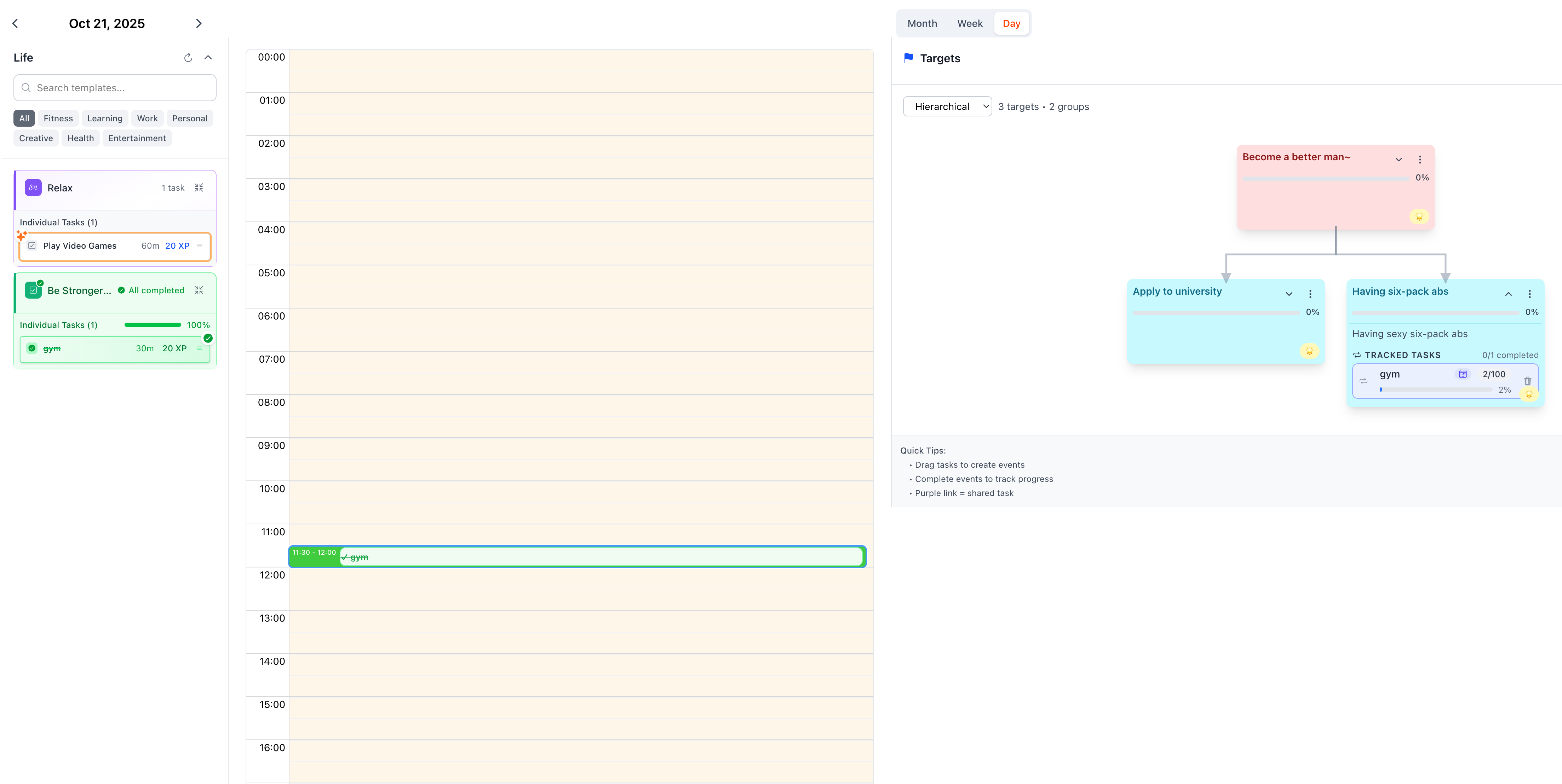
What Changed
Target Sidebar Progress At A Glance
When you finish an event that originated from a target node, the sidebar now uplifts that specific task’s completion percentage—no more guessing which branch just advanced. The update keeps the focus on the node you dragged from, so shared tasks in other targets stay untouched.
Template Sidebar Daily Time Pulse
Template cards now refresh their daily time spending rate the moment you complete a linked event. You can immediately see how much of today’s energy went into that practice, soundtrack, or deep work loop.
How to Use It
- Drag, Drop, Complete: Pull a target task onto the calendar, finish the event, and watch the corresponding node celebrate the exact percentage you moved forward.
- Track Energy Mix: Open the template sidebar after completing a template-driven event to see updated time ratios—perfect for balancing recharge vs. grind.
- Reflect Nightly: Pair the fresh percentages and time pulse with your evening review to decide tomorrow’s next small move.
Why It Matters
Our Hope & Encouragement principle (see docs/principle/hope-encouragement.md) reminds us that “small wins get we closer to the target.” These feedback touches turn that line into lived experience: the moment you complete something, you see how it nudges your dreams forward. It’s gentle proof that today’s effort was worth it.
For Power Users
- Target updates are scoped to the dragged node, so multi-target setups stay precise.
- The template sidebar uses the same data the calendar tracks, giving you matching numbers across views.
- No migration steps required—your existing events pick up the new telemetry automatically.
Up Next
We’re exploring overlaying these percentages on timeline summaries, so your daily agenda shows both effort and impact in one hopeful sweep.